
Blog
Losing the Thread of Thought: Why It's Not Just Forgetting in the Age of AI and Multitasking
The science behind losing your train of thought — from attention residue to cognitive load. Learn why context switching derails focus and how to maintain continuity.
Introduction: The Missing Pieces in Our Mental Jigsaw
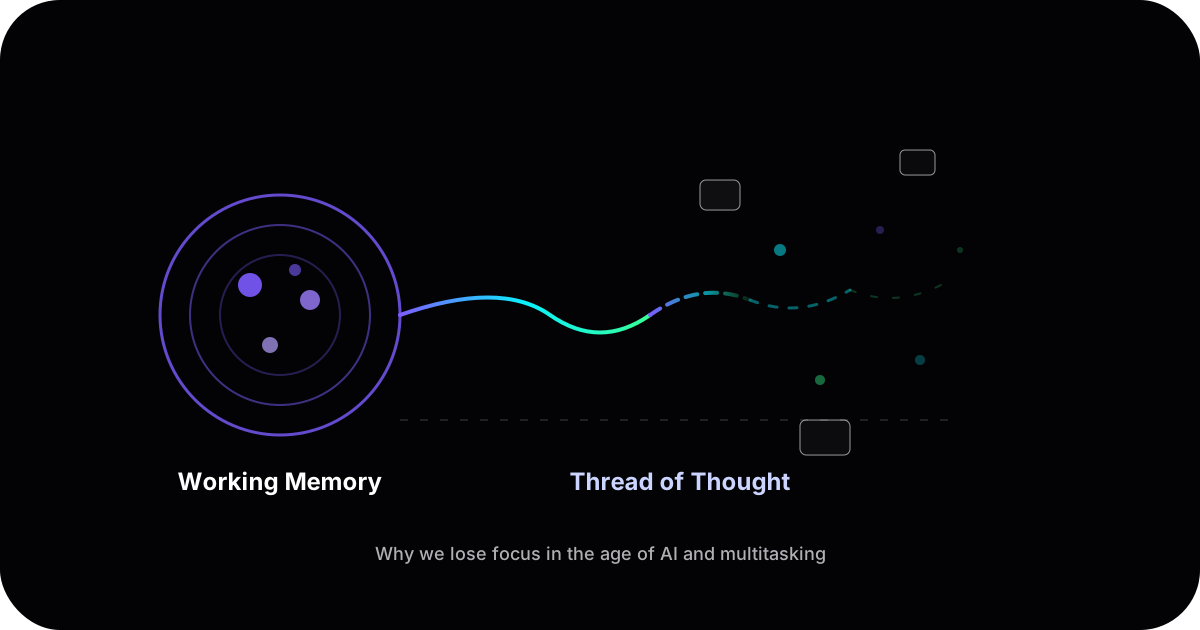
We all know these moments when we walk into a room and stop to think "What did I come in here for?" In that moment, you haven't simply forgotten a fact — you've lost the thread of your intent. Many of us (founders, engineers, researchers alike) experience similar blanks in daily work. We switch between coding sessions, Slack pings, and AI chatbot windows, and suddenly the reasoning we carefully built up evaporates. This isn't just absent-mindedness, "I'm getting old" or "I slept bad"; it's a cognitive phenomenon that science can explain. The good news is that this scattered feeling has a name and a basis in research — and recognizing it is the first step to addressing it.
More Than Memory Lapses: We often say we "forgot what we were doing," but in reality we lose the structure of our reasoning. It's the difference between misplacing a single puzzle piece versus having the entire puzzle scatter. Modern workflows — especially those involving AI chat interfaces and constant context-switching — are like a gust of wind sweeping away our mental house of cards mid-assembly. Now, you are thinking "Phew, it's not just me" and you are right: this is a documented struggle grounded in how our minds work. In an era of large language model (LLM) assistants and relentless multitasking, understanding why we lose our train of thought can help us design better habits and tools.
In the sections that follow, we'll explore the science behind our brain's limited working memory, cognitive load and overload, the steep costs of task switching (including the "attention residue" effect), the role of context in memory, and how external tools (from notebooks to AI) might both help and hinder our reasoning. We'll also distinguish between merely retrieving information and truly making sense of it. Each concept gives us a piece of the puzzle to explain why keeping a coherent train of thought has become so challenging — and how we might reclaim it.
The Limits of Working Memory: Only a Few Thoughts at a Time
Our ability to actively think in the moment relies on working memory — essentially a mental scratchpad where we hold bits of information for short periods. But this scratchpad is pretty small. Classic work by psychologists Alan Baddeley and Graham Hitch showed that working memory isn't a single bucket but a system with components like a "phonological loop" for sounds and a "visuospatial sketchpad" for images, all overseen by a central executive. Crucially, all these components share one limitation: very limited capacity.
Early estimates, like George Miller's famous notion of a "magical number seven, plus or minus two," suggested we can juggle roughly seven items in mind. However, more recent research pins the true capacity closer to only 3–5 meaningful items at once. In other words, the brain's RAM is just a few bytes. Cognitive scientist Nelson Cowan notes "there are severe limits in how much can be kept in mind at once (~3-5 items)". Those items might be digits, words, or abstract ideas — but the limit remains. This is the foundation of conscious reasoning, enabling tasks like understanding a sentence (holding the beginning of the sentence in mind until we read the end) or doing mental math (remembering an interim sum while calculating the next). When we exceed this capacity, the system starts to fail: pieces of the problem drop out of our mental scratchpad.
Why does this matter? Because modern multitasking often demands that we hold more than a few things in mind. If you're coding and also trying to remember a Slack request and an AI's suggestion simultaneously, you may simply overflow your working memory. The result is that unsettling sensation of "What was I doing again?" — not because you never knew, but because the mental workspace got overloaded and wiped some of the state. Understanding that our working memory can only handle a few thoughts at a time is the first clue to why threads of thought are so easily lost.
Cognitive Load: When the Mental Scratchpad Overflows
It's not only the number of items in mind, but also how complex those items are. This brings us to cognitive load — the total mental effort being used in working memory. Cognitive Load Theory in educational psychology explains that our brain has limited bandwidth, and it distinguishes between different types of load:
- Intrinsic load: the inherent complexity of the material or task itself. (For example, debugging a tricky algorithm has a high intrinsic load because the content is complex.)
- Extraneous load: the unnecessary mental burden imposed by distractions or poor presentation. (Think of trying to debug while pop-up notifications keep appearing — the interruptions add extraneous load.)
- Germane load: the effort of integrating information into a meaningful structure (basically, the work of learning or making sense of something).
We want most of our mental effort to go into germane load (actually reasoning or learning), but often extraneous load hijacks our limited working memory. If you have many browser tabs, notifications, or an AI assistant throwing verbose answers at you, they can consume precious mental resources just to filter out noise. J. Sweller's foundational work on Cognitive Load Theory showed that managing extraneous load is critical to avoid overloading our cognitive system. When total load (intrinsic + extraneous + germane) exceeds what our working memory can handle (those few items or chunks), overload occurs. At that point, we struggle to form new memories or follow complex reasoning. Essentially, the mental scratchpad is full and starts erasing things to make room.
In practical terms, this means that even if you're focusing on one task, a cluttered environment or tool can overflow your mental capacity. An AI assistant that gives a 500-word explanation when 50 words would do is adding extraneous cognitive load — the fluff taxes your working memory. Multiply that by the context switching we do, and it's no wonder our brains drop the ball. The key insight here is that it's not just how much we try to hold in mind, but also the context and clarity of that information.
A well-structured problem with minimal distractions is easier to keep in working memory than a chaotic one. Unfortunately, modern work is often chaotic by default.
The High Cost of Task Switching and Attention Residue
Our brains cannot multitask on cognitively demanding things as well as we'd like to believe. What we actually do is rapid task switching — and that comes at a cost. When we "shift mental gears" from writing code to checking email to chatting with an AI, we pay a toll in time and mental energy for each switch.
Studies have quantified this switching cost. In one classic study, researchers had people alternate between different tasks (e.g. solving math problems vs. classifying shapes) and measured their speed. The findings were clear: people lost time whenever they switched tasks, and the time cost increased with the complexity or unfamiliarity of the task. In fact, switching between more complex tasks took significantly longer, and switching to an unfamiliar task (one you're not practiced at) cost more than switching to a well-known task. In essence, every time you redirect your focus, your brain has to do extra setup work. That's what psychologists Joshua Rubinstein, David Meyer, and Jeffrey Evans described as "goal shifting" and "rule activation". It's like your mind has to unload the rules of Task A and load the rules of Task B. That takes time, even if it's just fractions of a second, and those little delays add up. (Meyer famously estimated that even brief mental blocks from context switching can cost up to 40% of someone's productive time in aggregate.)
The cost of switching is not just in those lost seconds; it can also manifest in mistakes and shallow thinking. If you've ever tried to quickly jump between two coding projects, you might have noticed errors creeping in — you forget which function you were editing or overlook a crucial detail that you wouldn't have if you'd stayed focused. Part of this is because when we switch, we often fail to fully leave the previous task behind. This brings us to a related concept: attention residue.
Attention residue is a term coined by Sophie Leroy, who found that when people are interrupted before finishing a task, part of their attention stays stuck on the old task even as they try to work on the new one. In her studies, participants who were forced to switch tasks without closure performed worse on the next task, because their mind kept wandering back to the unfinished business. Leroy described this carryover effect as attention residue: after switching, you're only using a portion of your cognitive resources on the new task, because the rest of your mind is still occupied with the last one. Sound familiar? It's that feeling of half your brain being elsewhere — like when you're in a meeting but still mentally debugging the code you were writing right before it started.
The implication is that frequent, unplanned switching is a double-hit: you lose time in the transition, and you resume work in a hampered state (with residual thoughts of the other task clogging your mental bandwidth). In modern workflows, constant pings and multitasking make attention residue a chronic problem. Even if you do your best to refocus, your brain might still be mulling over the previous context for a while. This can especially hurt when using AI tools: for example, if you have an AI chat open and you get distracted by an email mid-conversation, when you return to the chat you may have lost the thread of what you were asking the AI and your brain is still partially thinking about that email.
Understanding task switching costs and attention residue highlights why long stretches of fragmented work feel so draining and unproductive. It's not that you're incapable of focusing; it's that the deck is stacked against deep focus when you fragment your time. Each fragment never gets your full cognitive horsepower.
The Role of Context in Memory (or, Why "Doorways" Make Us Forget)
Going back to the beginning: You walked through a door and forgot what you wanted to do. This is in fact a common experience that is so relatable that psychologists studied it, and they named it the doorway effect. The finding: simply changing your environment — like walking into a new room — can make you forget intentions formed in the previous environment. In experiments, people were asked to remember something (like an object they picked up) and then either walk across a room or walk through a doorway into another room. Those who went through a doorway did worse on memory recall; crossing that threshold reset some part of their context, and they struggled to remember what they were holding or why they entered the new room. Their responses were slower and less accurate after a context switch, even when the physical distance moved was the same.
The doorway effect is a striking example of context-dependent memory. Our brains encode memories along with contextual cues. When you're in the same context where a memory was formed, those cues can subconsciously trigger recall. But when context changes, recall becomes harder. Walking into a new room creates a mental "event boundary" — your brain basically says, "We're in a new scene now, what happened in the last scene might not be immediately relevant." That's normally useful; it helps separate experiences so you don't confuse them. But it also means that when you shift context, you may lose access to the mental thread you had before. That's why you might return to your desk and immediately remember the forgotten intent upon seeing the original context (the coffee mug on your desk jogs your memory that you went to the kitchen to wash it, in the classic example).
In the digital realm, context switches happen constantly — and our minds seem to treat them like virtual "doorways." Research suggests that each app, browser tab, or chat window constitutes a context, and when we rapidly switch between them, we induce a similar memory reset. One technologist dubbed this the "digital doorway effect," noting that each time you minimize an app or swap to a new interface, you're effectively walking through a virtual door and triggering your brain's context-switch mechanism. Your mental model of what you were doing can evaporate just as easily as it does when you physically change rooms. If you've ever picked up your phone with a clear goal (say, check the weather), then got distracted by a notification and moments later couldn't remember why you picked up the phone — that's the digital doorway effect in action.
The role of context in memory helps explain why working in one application and then jumping to another (e.g., coding IDE to email to AI chat and back) can be so disorienting. It's not merely the interruption; it's the context shift that nukes the mental breadcrumbs you were following. This is also why techniques like "retracing your steps" or leaving visual cues work — they are attempts to re-create the original context and thus reactivate the memory. For example, if you get interrupted in the middle of writing a report, when you return, re-reading the last few paragraphs or looking at your outline is akin to walking back into the previous mental room. It provides the missing cues to reload your state.
The takeaway is that our brains heavily rely on context for continuity. In a world of constant context-switching, we're fighting an uphill battle to maintain continuity of thought. But we're not helpless — we can manipulate context to our advantage (as we'll discuss in strategies), and we can offload context to tools.
Externalizing Thought: Tools, Notes, and the "Extended Mind"
One way to combat the limits of memory and context loss is to externalize your thinking — basically, get it out of your head and into the world (on paper, on a whiteboard, or a digital note). Humans have been doing this forever: writing things down, drawing diagrams, using physical objects as reminders. The reason this works is captured by theories of distributed cognition and the extended mind.
Distributed cognition is the idea that cognition isn't confined to an individual brain, but is distributed across people, tools, and environment. Cognitive anthropologist Edwin Hutchins famously illustrated this by studying how navigators on a ship collectively calculate positions using charts, tools, and shared knowledge. The thinking is happening in the whole system of people + tools, not just in one person's head. In daily life, when you use a notebook or an app to remember something, you're effectively spreading the cognitive task between your brain and an external aid. Philosophers Andy Clark and David Chalmers went as far as to argue that if you use a tool reliably (like always writing down addresses in a notebook you carry), that notebook becomes an extension of your mind — part of an "extended cognitive system".
What this means for losing the thread of thought is that external memory aids can drastically improve continuity. If you have notes, checklists, or diagrams that capture the structure of your task, you don't have to hold everything in fragile working memory. For example, a simple habit of writing down "what I was about to do" before you context switch can save you from that fog of forgetting. Many effective engineers and researchers I know keep a scratchpad or running document open, jotting down key thoughts and next steps as they work. If they get pulled away, they can later read their last note: "Oh right, I was in the middle of testing function X with scenario Y." Without that note, they might spend 15 minutes trying to recall where they left off. Personally, I have digital tools to support me but the good ol' scratchpad will always be great.
Speaking of digital tools, our modern external aids are a double-edged sword. On one hand, apps and AI assistants can offload memory and even reasoning steps — tools like knowledge workbenches are specifically designed for this. On the other hand, if these tools are poorly integrated, they can become yet another source of fragmentation. Consider an AI chat: it can remember a lot of context for you and even suggest next steps. But if its interface is ephemeral (say, a chat that doesn't integrate with your notetaking app), then you have to manually carry information from the AI window to your other app. Your brain still has to bridge the contexts, which is taxing. And I bet by the chat you were in drifted into a whole different conversation and context and you'll never find that good answer again. The key is how we use external tools: do they serve as cognitive scaffolding that aligns with our mental process, or do they just bombard us with more info to track?
A positive example is something as simple as a checklist. A checklist externalizes procedural memory (the steps to do something) so you don't accidentally skip one when your attention is divided. Pilots and surgeons swear by checklists for this reason — they reduce cognitive load and memory reliance, especially under pressure. Going back to the notetaking app — and notetaking in the age of AI is its own deep topic — it still is useful to periodically paste the key points or decisions from a conversation. That way, if the chat drifts or you take a break, you have an external "thread" to refer to.
We're also seeing new tools explicitly designed to serve as an extension of memory and thought (sometimes called "cognitive prosthetics"). These range from note-taking apps that connect ideas, to browser extensions that automatically log what you were doing, to AI-driven systems that attempt to remind you of relevant information when you resume a task. The underlying principle is the same: treat your train of thought as a valuable asset and preserve it outside your head. When done right, it means that even if you get distracted or forget a detail, the tool holds on to it for you.
It's worth noting one more caveat: simply retrieving facts is not the same as understanding. Google, for example, is a phenomenal external memory — and combined with NotebookLM you can probably search through your files like never before. Any fact or definition, you can get in seconds. But that doesn't automatically give you continuity of reasoning. And for many document types, even basic searching PDFs still presents real problems. This is where the line between information retrieval and sensemaking becomes critical. Modern AI and search tools excel at fetching facts (who directed that movie, what's the syntax for that function call, etc.). Yet, they often struggle with deeper reasoning or helping you maintain the thread of a complex analysis. As the IRIS research lab at Missouri S&T points out, today's information systems focus on surface-level retrieval and don't integrate knowledge in a human-like reasoning process. They retrieve pieces but don't assemble the puzzle for you.
True sensemaking is the active process of constructing a meaningful picture from those pieces — of connecting the dots and interpreting information in context. Cognitive scientists define sensemaking as "constructing a meaningful representation of some complex aspect of the world". Losing the thread of thought is essentially a failure of sensemaking continuity: it's not that you can't find the pieces (you might have all the data and answers), but you lose the cohesive representation that makes those pieces make sense together. This is why knowledge systems that treat answers as disposable ultimately fail — they optimize for retrieval but not for the continuity that sensemaking requires.
So where does this leave us? It might sound dire — limited working memory is easily overloaded; attention splintered with every switch; memory context tied to environment; and our helpful tools sometimes adding to the chaos. But recognizing these factors actually suggests concrete strategies to fight back. We can redesign aspects of our workflow and leverage technology differently to bolster our cognitive strengths and shore up our weaknesses.
Strategies to Keep Your Thread of Thought
Let's translate these insights into practical habits and tool choices. The goal is to preserve continuity of reasoning even amid AI distractions and multitasking. Consider the following strategies as ways to "hack" your workflow in light of cognitive science:
1. Externalize State to Offload Working Memory
Since working memory can only hold ~3-5 chunks at once, don't try to carry an entire problem in your head. Offload details to paper or digital notes. For example, if you're stepping through a complex debugging session or writing a research analysis, maintain a simple outline or a running list of "what I know so far" and "what I need to do next." This acts as your extended working memory. It's much harder to lose the thread when you have a tangible trail of breadcrumbs to return to. In cognitive terms, you're reducing load on your internal scratchpad by using an external one.
Even something as basic as writing down the question you intend to ask the AI before you ask — it can help crystallize your intent and gives you a reference point if you get sidetracked in the AI's response. If interruptions happen, you can glance at your notes and quickly reload the context into working memory (like hitting a "save game" checkpoint for your brain). Many effective thinkers spontaneously sketch diagrams or concept maps for this reason: a quick doodle of how components relate, a timeline of events, etc., can serve as an external visualization of your mental structure, making it more resilient to memory limits and distractions.
2. Reduce Extraneous Load and Distractions
Apply cognitive load theory to your work environment. This means eliminating unnecessary mental burdens so that your limited working memory is focused on the task itself. In practice, structure your environment to support focus. Some tips: use distraction blockers or a "focus mode" to pause notifications when you need to concentrate deeply. Batch your email or messaging checks to designated times instead of letting them interrupt you constantly. If you're working through a tricky problem, consider closing unrelated tabs and windows temporarily — it's like closing extra "cognitive tabs" in your brain.
For AI chats, keep separate chat sessions for separate projects or topics so each context stays encapsulated (limiting how much you have to mentally keep track of at once). By consciously trimming extraneous cognitive load, you free up more of your mental bandwidth for the germane load (the actual reasoning or creation you're doing). You'll notice it becomes easier to pick up where you left off if your environment is streamlined and not constantly pulling your attention elsewhere. In short: make it easy for your brain to do the right thing by removing needless temptations and noise.
3. Switch Tasks Mindfully (and Finish Small Chunks)
We can't eliminate all task switching, but we can do it more intelligently. Whenever possible, finish a sub-task or find a natural stopping point before switching to something else. This helps reduce attention residue. For instance, if you need to check an incoming message, try to conclude the paragraph of code or the sentence you were writing first. Or if you must pause a task, jot down a quick note about what your next step would have been ("Next: test the edge case where input is null"). This creates a sense of closure on the current mini-task and provides a clear cue for resumption.
Also, avoid immediately diving into a completely different type of task; if you can, take a 30-second breather between tasks to let your mind reset. Some even encourage a minute of deep breathing between meetings for this reason — it clears the mental cache. Research by Leroy suggests that simply knowing you'll have time to return to an interrupted task can reduce attention residue. So, if you manage a team or your own schedule, try blocking dedicated chunks of time for deep work on one project rather than peppering your day with many different meetings and tasks.
Every additional context crammed into your day increases cumulative residue and "gear-shifting" costs. As the APA researchers put it, shifting mental gears has a cost, so shift less frequently for complex work. And when you do switch back, reload context: before plunging ahead on a resumed task, take a moment to review your notes, last outputs, or code diffs to reconstruct the state. It might feel like a waste of time to re-read things you wrote, but it's actually saving you time by preventing mistakes and that foggy "where was I?" feeling.
4. Leverage Context Cues and Consistency
Since context is so integral to memory, you can harness context-dependent memory to your advantage. The idea is to make your working contexts distinct and consistent, so they naturally cue the relevant memories. For example, you might dedicate a particular desk or corner for a specific project, or if you work in a single space, you could have a ritual or a particular music playlist that you only use for Project X. These contextual cues become tied to Project X in your memory. When you re-enter that context (sit in that chair, play that playlist), it helps trigger recall of where you left off. It's like creating an intentional doorway effect in reverse — the doorway back into a context brings your brain back to that mode.
Some people even find it helpful to verbally announce to themselves, "Okay, I'm back to working on task Y, and last I was doing Z," as they sit down to resume a task. It sounds a bit odd, but hearing yourself recap can reactivate the prior context internally. Another trick: if you need to interrupt a task, leave a visible marker for when you return. For instance, leave the code editor open to the exact spot you were editing, with perhaps a // TODO: was fixing off-by-one here comment inserted. In writing, leave an unfinished sentence or a highlighted phrase. This way the environment itself contains a cue that "here's where to pick up."
In digital terms, use tools that maintain session state — if you can keep an AI chat or a notebook open with your last conversation intact, it will be easier to recall context than if you always start with a blank slate. Even something as small as not closing your browser tab can help: when you Alt-Tab back to that design doc and see the section you last edited, it jogs memory. You're effectively designing your workspace to prompt your memory, much like retracing steps helps you remember lost keys.
5. Use AI as a Partner in Continuity, Not Just Q&A
If you work with LLM assistants, you can adopt strategies to enforce continuity in those interactions. Treat the AI like a human collaborator who you need to keep up to speed. Periodically summarize to the AI (and yourself) what has been done and what's next. For example: "So far we have implemented the login feature and fixed the authentication bug; next we want to tackle the payment API integration." By doing this, you kill two birds with one stone: you ensure the AI has the correct context, and you reinforce the thread of reasoning in your own mind through articulation.
You can also explicitly ask the AI to help organize information: "Can you list the steps we've completed so far?" or "Summarize the findings we have up to now." Use the AI's strengths — its memory within a chat session and ability to present structured text — to create a running log or outline of the discussion. Some users maintain a persistent journal with their AI, essentially using the chat as a project log. If your AI tool allows, you can use plugins or retrieval features to have the AI pull in relevant notes automatically when you start a session (for instance, some systems let the AI fetch from your personal knowledge base so it reminds you "Here's what you were last doing on this project").
The general principle is to make the AI augment your extended cognition rather than act as a siloed Q&A machine. It should become part of your distributed cognition system, not just a fancy calculator that forgets everything each time. Also, be cautious of information overload from AI outputs; don't hesitate to ask the AI to be concise or highlight the key points ("Give me a brief bullet-point summary of that explanation"). This reduces extraneous load on you (less fluff to wade through) and helps focus on what matters.
Finally, a practical tip: try to keep one continuous AI chat per project or topic. If you start a fresh chat every time, you sever the continuity and have to rely on your own memory (or re-feed context to the AI). In contrast, a single long-lived chat that captures the evolution of a project can serve as a dialogue log you can scroll back through — almost like meeting minutes of your interaction with the AI. This can be incredibly helpful when picking up work after a hiatus.
6. Use Tools That Preserve Context
We touched on externalizing with simple tools like notes or checklists. Additionally, consider specialized tools built to maintain context across interruptions. Traditional project management or note systems (wikis, Kanban boards, etc.) are already useful here, but there are now emerging tools designed explicitly for continuity of thought.
For example, Kiori — our new tool — is built to help users maintain continuity in workflows that involve lots of context switching and AI interaction. While this isn't a sales pitch, it's worth looking at how such a tool approaches the problem. Kiori automatically captures the structure of your reasoning as you work, especially when you're interacting with AI assistants. It might log your prompts and the AI's answers, link them to the documents or code files you're working on, and provide a visual map of the topics or tasks you've been discussing. In doing so, it externalizes the "thread" that usually lives only in your head. So when you come back after an interruption, Kiori can essentially show you: "Here's what you were thinking and doing last," which spares you from having to manually reconstruct that context. It also serves as a long-term memory for past conversations or decisions, so you don't ask the same questions over and over (something that happens often when you forget what answers you got, and the AI itself has forgotten because you started a new session).
Kiori is one example of this philosophy; there are also research prototypes and other products exploring these kinds of "cognitive prosthetics" — in essence, software that acts as an extension of your mind's memory and executive function. The encouraging trend is that technology is being leveraged not just to throw more information at us, but to help us organize and retain our thoughts in alignment with how our cognition naturally works (and where it fails). As these tools develop, they hold promise for reducing the mental friction in complex, multi-context work.
But even without specialized software, you can get part of the way there with a well-structured note-taking app, a version control log, or even a simple practice like writing "Day's Log" notes that you update as you work. The right tools, used in the right way, become an external scaffold for your thoughts, ensuring that even if your brain drops something, the scaffold is there to catch it.
7. Cultivate Meta-Awareness of Your Focus
Lastly, build the habit of noticing your own cognitive state. Psychologists call this metacognition — thinking about your thinking. Pay attention to signals like "I'm feeling overwhelmed," "I don't remember anything from the last page I read," or "Why did I just randomly click on this app?" These little realizations are cues that you've lost the thread or are at risk of losing it. When you catch them, take action: pause and regroup. This might mean standing up to stretch, doing a quick mindfulness breath, or checking your notes to re-anchor. It could also mean consciously deciding to stop a line of thought that's going nowhere (sometimes we go down a rabbit hole and need to step back).
A short reset can clear residual attention from a previous task and prepare you to focus on the next thing. Being kind to your brain — acknowledging when it's fatigued or overloaded — can make you more productive in the long run. For example, schedule heavy sensemaking tasks (design, strategy, deep coding) at times of day when you naturally have better focus, and save lighter information-retrieval or administrative tasks for the low-energy periods. Aligning your work with your cognitive rhythms means you experience fewer failures of attention. Essentially, don't fight your brain's limits; plan around them.
By implementing these strategies, you create a buffer against the chaos of modern workflows. You won't eliminate every instance of losing the thread — we're only human. But you can greatly reduce their frequency and impact. Think of it as constructing an "anti-forgetting" infrastructure around yourself: a combination of memory aids, context cues, structured tools, and smart habits that together keep your important thought-trains visible and on track.
Conclusion: From Lost Threads to Lasting Thought
In today's fast-paced, AI-infused work environments, it's easy to feel like one's attention is constantly under siege. We've put a name to that experience: it's not just forgetting — it's losing the thread of thought, a collapse of the scaffolding that holds our knowledge together. We've seen how fundamental cognitive constraints (working memory limits, cognitive load, attention residue, context-dependent memory) make maintaining that scaffolding genuinely challenging, especially when we're constantly switching contexts. Importantly, these aren't personal flaws or "just not trying hard enough." They are universal human factors, documented by researchers from Baddeley to Cowan to Sweller to Meyer to Leroy. If you've been nodding along to these descriptions, hopefully you feel validated: the struggle to keep focus and continuity in complex tasks is real, and you're far from alone in it.
The flip side of understanding these challenges is empowerment. Knowing why we lose our train of thought means we can start guarding it better. We can ensure our threads of thought, once spun, are less easily broken — and even weave them into real insights and innovations instead of constantly starting over. Whether it's adopting a habit of jotting down a quick outline before hopping on a call, or using a tool like Kiori that preserves your context across apps and AI interactions, or simply giving yourself permission to single-task when you need to, you're effectively treating your train of thought as something worth safeguarding.
In a sense, we're coming full circle to a timeless idea: sensemaking is a journey, and every journey benefits from a map. Losing the thread is like losing the map. The concepts and strategies we discussed are ways to draw and hold onto that map even as the terrain around us keeps changing. So the next time you find your mind blanking on a task or your reasoning unraveling after a barrage of pings, remember: it's not just you, it's science. Take a breath, consult your notes or recap out loud, and gently steer back on course. With the right approaches, you can keep your reasoning on solid ground — even turning today's AI and information overload into an advantage rather than a setback.
TL;DR: Our brains are incredible but have strict limits. Modern multitasking and AI-driven work often push those limits, causing us to lose our train of thought (our "reasoning thread"). By understanding concepts like working memory capacity (only ~4 items at a time), cognitive load (avoiding overload by reducing distractions), attention residue (unfinished tasks leave part of our focus behind), context-dependent memory (new contexts can make us forget intentions), distributed cognition (offloading thinking to notes/tools), and the difference between just retrieving information vs. making sense of it, we can see why it's so easy to lose the thread. More importantly, we can apply strategies and tools to guard our focus and maintain continuity. You're not simply forgetful — you're navigating a cognitively demanding environment. But with a good compass (smart habits) and a reliable map (supportive tools), you can keep your reasoning intact and make the abundance of information and AI work for you rather than against you.
Ready to see Kiori?
Follow your thread
Jump into a live workspace to see how Kiori keeps knowledge connected across threads, docs, and teams.
Related stories
Google's Gemini Embedding 2 puts text, images, video, and audio in one vector space. Here's what that actually changes for RAG and knowledge systems — from someone implementing it in production.
A walkthrough of Kiori's knowledge flywheel — from uploading documents to AI-powered retrieval, visual curation, page creation, and back again. See how knowledge compounds.